NTRIP credentials
A rover can connect to the caster in two ways: with your panel account, as explained in Connecting the rover, or with an NTRIP credential: a name and a password made specifically for that rover, separate from the account.
What they are for
- Give access without giving your password. A colleague or an operator receives the credential of their rover, not the password you use to sign in to the panel.
- One per receiver. If a handheld is lost or changes hands, you switch off only its credential: the other rovers keep working.
- With an expiry. For a rental or a fixed-term site the credential stops working on its own, at the end of the chosen day.
- Only some bases. You can restrict the credential to some of your mount points.
Creating a credential

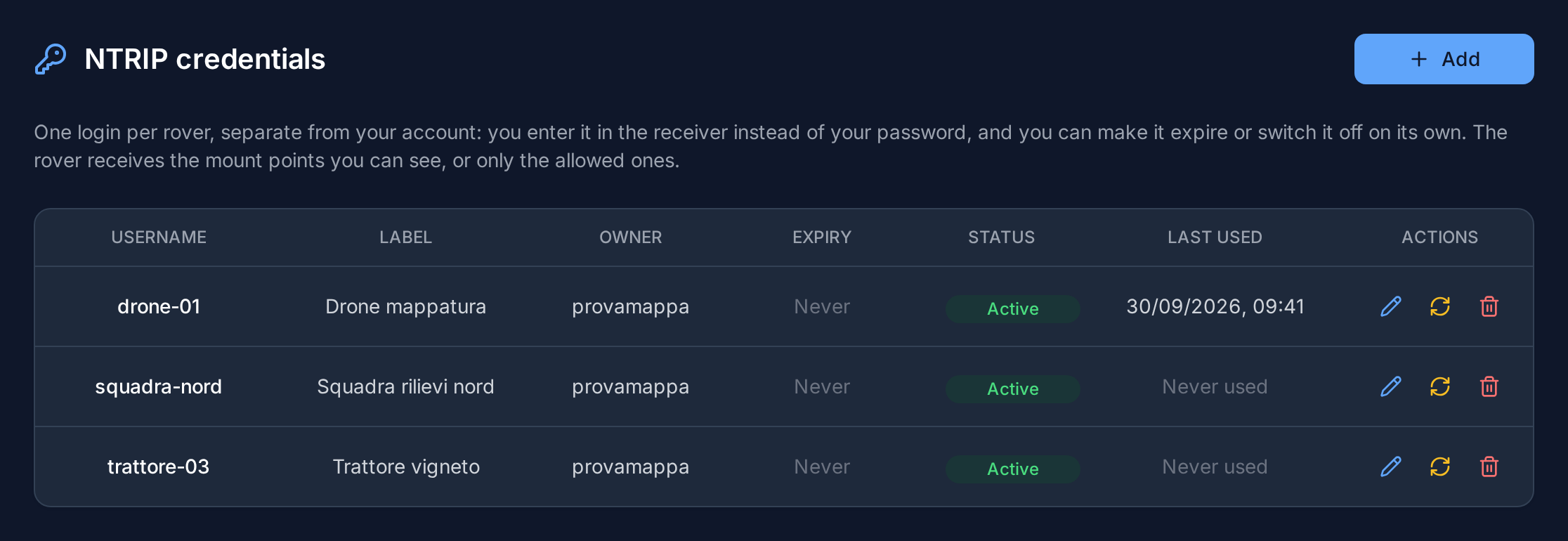
From the NTRIP credentials menu press Add and fill in:
| Field | What to enter |
|---|---|
| Username | the name to enter in the rover. It must be unique: it cannot match the name of an account or of another credential. It cannot be changed later |
| Label | optional: it helps you recognise it (operator, receiver, site) |
| Expiry | optional: the credential is valid until the end of the chosen day. Empty = never expires |
| Allowed mount points | optional: if you choose none, all the mount points you can see are valid |
The password is generated by the caster and appears only once, right after creation: press Copy and enter it in the rover. It can never be read again; if you lose it, use Regenerate password (the icon with the two arrows): the old one stops working immediately.
In the table, for each credential, you find the label, the expiry, the status (Active, Expired in red, Disabled) and the last successful connection. With the pencil you edit it: label, expiry, allowed mounts and the Credential active box, which switches it off without deleting it.
What to enter in the rover
| Item | Value |
|---|---|
| Host / Address | ntrip.solutop.eu |
| Port | 2101 |
| User | the name of the credential |
| Password | the generated password |
| Mount point | one of the allowed mounts, or NEAREST |
With NEAREST the caster chooses the nearest base among
those the credential can use.
What happens next
- The rover counts as one of yours. The per-user connection limits apply to your account, and in the panel the rover appears among your connections with the name of the credential; the connection history records which credential it used.
- Switching off, regenerating or deleting a credential immediately disconnects the rovers using it. Removing allowed mounts disconnects them too: they reconnect only where they can.
- Refusals are visible in the sign-in register of the Logs page, with the reason: Credential expired, Credential disabled, Mount not allowed, or Wrong credentials for a wrong password.
- Same protection as the account: after ten wrong passwords in fifteen minutes from the same address, that address is blocked for fifteen minutes.
- If your account is disabled, its credentials stop working; if it is deleted, they are deleted with it.
For the administrator
The administrator sees everyone's credentials, with the Owner column, and can create them on behalf of a user by choosing them in the creation window: the allowed mounts are then chosen among that user's.
Usage and limits
In the Dashboard the Usage and limits box puts the numbers next to their caps: the mount points you own against the maximum allowed, the connected rovers against the per-user maximum and the active credentials against those created. When a number goes over 90% of its limit the bar turns yellow.