What changed
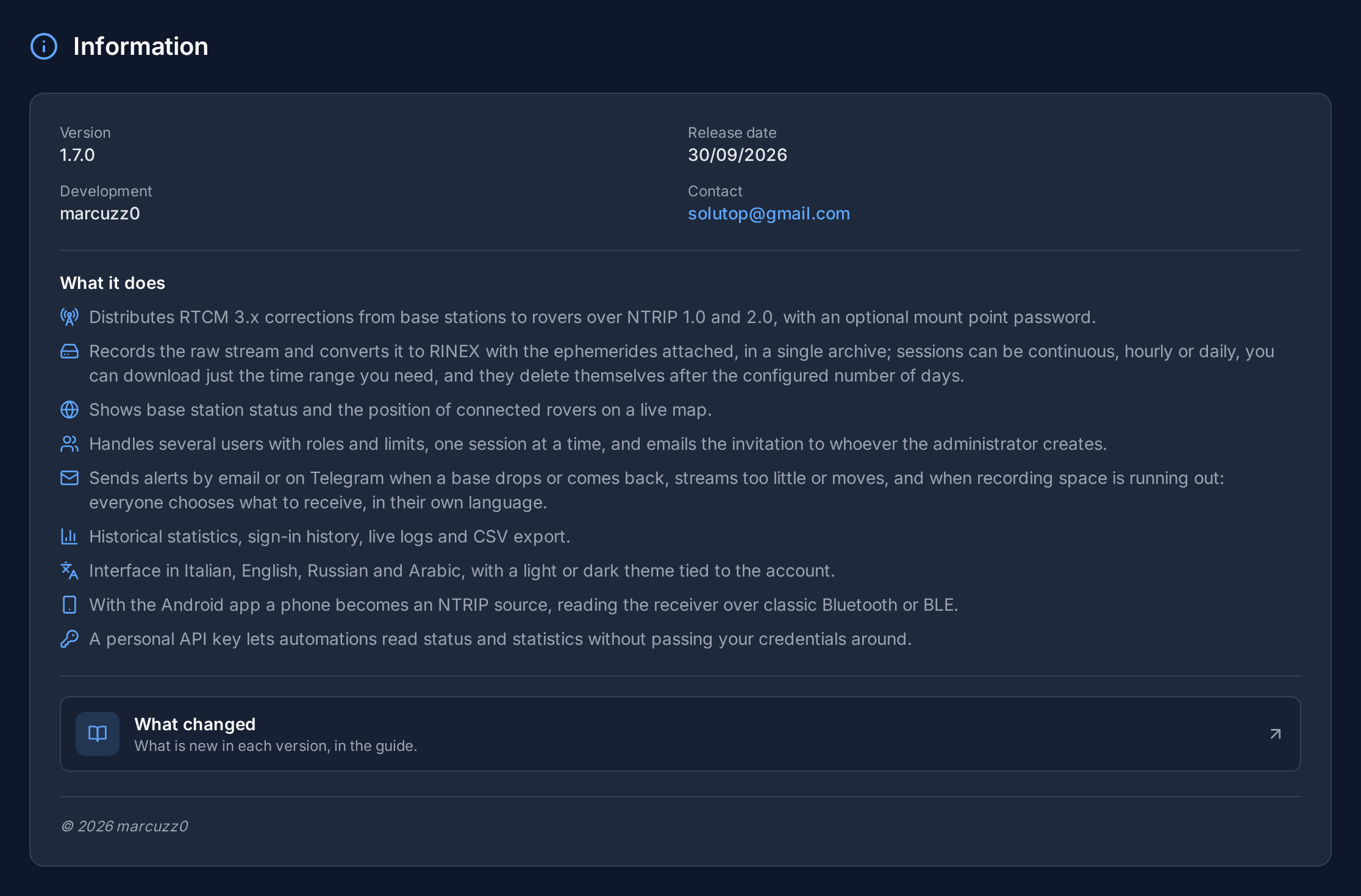
What is new in each version of LiveRTK, most recent first. The version you are running is shown on the Information page of the panel.

1.8.7 — 18 November 2026
- German: panel, guide, emails, Telegram messages and the Android and iPhone apps also speak German, chosen from the settings like the other languages.
- Apps: on the first start after an update the What's new window lists what the version brings, only once; with Don't show again it no longer appears.
- Apps: the new version notice lists what it brings and leads to the store with Update.
- Android app: on the panel the receiver is orange while it needs configuring, green when it is ready, as on iPhone.
1.8.6 — 27 October 2026
- iPhone app: on the App Store since 11 November 2026.
- iPhone app: configuration commands reach the receiver whole over Bluetooth, and in the panel the receiver is orange while it still needs configuring, green when it is ready.
- Panel: on the map, rovers move as soon as the caster receives their position, without waiting for the refresh cycle.
- Android app: better protected code in the published version.
- Various bug fixes.
1.8.5 — 14 October 2026
- Android and iPhone apps: they work with any GNSS receiver that transmits RTCM3 over Bluetooth, no longer only with ours. The device list no longer filters by name: it leaves out headphones, cars and watches and puts first the Bluetooth LE receivers with the Nordic UART serial service. Corrections still go only to the LiveRTK caster, with a LiveRTK account.
- Apps: the configuration has a fourth mode, Already set up as a base, for receivers set up as a base with their own software: the app sends no commands and START lights up. For receivers that do not respond to the app's commands it is the only mode offered.
- Apps: if the receiver does not transmit RTCM3, the message says to set it up as a base with its configuration software; Reconfigure the receiver remains only for the receivers the app configures by itself.
1.8.4 — 14 October 2026
- Apps: the update check is on by default. At start-up the app tells you if a new version exists and takes you to the Google Play Store to install it; it can be turned off in the settings.
- The Android app is on Google Play.
- The contact address, in the apps, the panel and the guide, is now [email protected].
1.8.3 — 9 October 2026
- «Nearest base» groups: besides
NEARESTyou can create virtual mounts with a name and chosen bases, with their own margin and maximum distance and, if needed, reserved to some NTRIP credentials. They are managed from the Mount Points page (how they work). - Panel: on the phone the Recordings table fits the screen in every language, with the status under the mount point name.
- Android app: the content runs under the system bars also before Android 15, as it already did on newer versions.
1.8.2 — 9 October 2026
- Presentation page: the Watch the video button opens the LiveRTK film full screen, in Italian when the site is in Italian and in English in the other languages. Guide is among the menu sections, and below 1260 px of width the sections move into the ☰ menu instead of disappearing.
- Panel: on phones the headers of empty tables no longer overlap, and in Recordings «Mount point» stays on one line. The live data rate chart shows the last two minutes, without the hours-long gaps that squashed it.
- App: MS2net receivers now appear in the receiver list too. A receiver the app cannot configure, already set as a base from its own panel, is used with the Already set up as a base command: on start the app still checks that valid RTCM3 arrives.
1.8.1 — 3 October 2026
- New extended logo: the word "LiveRTK" is made of the letters of the sign (the L and the R are the sign itself, the other letters share the same shapes), with no plate. It appears in the menu, on the sign-in pages, in the bar of the site and the guide and in the apps' bar.
- When the site and the apps open, the sign opens into the new extended logo.
- In the diagram on the presentation page the sign is as tall as the fan of arrows, and a light-blue halo pulses when the stream arrives and leaves.
- iPhone app: in Arabic the launch transition takes the logo to the right side of the bar.
- Apps: sign-in happens inside the settings, in the account row that expands, with no window in the middle of the screen. On Android the launch sign no longer stays over the settings after a change of language or theme.
1.8.0 — 2 October 2026
- Final brand mark: the sign with the L and the light-blue wave is the app icon, the apps' launch screen and the icon in the browser tab. In the menu, on the sign-in pages and in the bar of the site and the guide there is the word "Live" next to the light-blue "RTK" plate.
- On the landing page the diagram has the sign at its centre and two more uses: Monitoring and Marine surveying. "Earthmoving" becomes Machine control and "Agriculture" becomes Precision agriculture.
1.7.1 — 2 October 2026
- New brand mark: the two-part "Live | RTK" wordmark replaces the satellite, on the site, in the guide and in the apps. The app icon is made of the initials L and R.
- The blue of the controls is now the brand blue, lighter than before, on the site, panel, guide and apps.
- On the landing page the diagram has the brand mark at its centre, with no box around it.
1.7.0 — 30 September 2026
- Forward to an external caster: a mount point's stream is sent on to another NTRIP caster, which receives it as if from a base, to deliver your corrections to a network or to a customer with their own caster. It starts when the mount point receives a stream and stops when it no longer does. See Relay.
- In the app, the satellite on the icon and on the start screen has a slightly thicker line.
1.6.0 — 28 September 2026
- NTRIP credentials for rovers: a name and a password for each rover, separate from the panel account. They can expire, be turned off and be limited to some mount points, and the password is shown only once. See NTRIP credentials.
- Session history in the mount point detail: base and rover sessions with duration, data and reason for ending, charts of the stream and of the connected rovers over time, and the rover card with the last position even after it has disconnected. A rover that has not sent a GGA for more than 20 seconds is marked with a stale position. See Mount points.
- Relay from an external caster: a mount point can take its corrections from another NTRIP caster, as the main source or as a backup that starts when the base drops and stops when it comes back. See Relay.
- Groups and invitations: the administrator gathers users into groups and shares a mount point with the whole group, invites new people by email with a link that lasts seven days and can be revoked, searches the users and opens each one's card. Whoever loses access to a mount point is disconnected immediately. See Users and permissions.
- The Dashboard shows the active sessions grouped by base, with the rovers below, and the usage against the limits.
- The caster also answers on the encrypted port 2102 (TLS), next to 2101. See Connecting the rover.
- The administrator can have sessions, logs and chart data older than a given number of days deleted every day; by default nothing is deleted.
- In the app, the new icon: a light-blue satellite on a night-blue background.
1.5.8 — 27 September 2026
- The nearest base: connecting the rover to the
NEARESTmount, the caster sends it the corrections of the nearest connected base among those your account can use, and moves it to another one as you move. The rover's GGA is required; the base changes only if another one is closer by a margin (2 km by default), so the rover does not bounce at the border between two bases, and if the base stops transmitting it moves to the next one at once. Name, margin and maximum distance are set in the new Nearest base section of the administrator settings. See Connecting the rover. - A presentation page opens the site for those who have not signed in yet: what the caster does, the two ways to connect the base, the comparison between a public and a private caster, the features and the applications. From there you enter with Log in; from the sign-in form you go back with Back to the home page. Those already signed in see the panel as before.
1.5.7 — 25 September 2026
- In the app, a receiver lost during transmission is taken back automatically: if Bluetooth drops, or nothing arrives from the receiver for 15 seconds, the app tries to reconnect it for one minute while staying connected to the caster, and says so in yellow under the button — Receiver lost, reconnecting.... As soon as the receiver sends RTCM3 again, transmission resumes on the same mount point; if it does not come back within that minute, the relay stops and says so. Before, moving a few metres away was enough to find the relay stopped, to be restarted by hand.
- In the app, the chosen mount point can be removed: on the list screen it appears at the top, under Selected mount point, with Remove. The choice is cleared from the app and «Start» goes off; on the caster the mount stays as it is.
1.5.6 — 25 September 2026
- The sign-in log also shows the caster connections that were refused, in red like the failed attempts: who tried, on which mount and why — Wrong credentials, Mount not found, Mount suspended, Mount not allowed, Base not streaming, Base already streaming, Limit reached, Wrong mount password. The same refusal from the same address is written once every ten minutes. Everyone sees the ones made under their own name and the ones on their own mount points.
- On the Logs page dates and times follow the language chosen in the panel, not the browser's, and are written the same way in the console and in the sign-in log. Sign-ins made before the log kept sessions stay in the list, with the sign-out marked «Not recorded». Among the sign-out reasons there is also «User deactivated».
- Signing out of the account really closes the session, from the panel as from the apps: in the log the phone's sign-in no longer stays «Ongoing», and the previous sign-in is no longer valid. Deactivating a user also closes their open sessions.
- In the app, the chosen receiver is tested every time its screen opens: the mark is green if it responds, grey with «Not responding» if it is off or far away. The command next to it is called «Remove»: it drops the choice and leaves the receiver free for another phone. A paired device is also tested as soon as it is chosen.
- In the app, the NTRIP caster card is green only if the caster confirms the mount point: the app asks it when the panel comes back on screen and after the choice, and if something is wrong it writes it under the name — Caster not reachable, Mount point suspended, Mount point not found. Without signing in the card cannot be tapped and says «Sign in from the settings».
- In the app, the relay stops if the receiver drops or stops transmitting and says so, instead of retrying forever or staying connected to the caster without sending anything.
- In the app, if the RINEX recording does not start you read it right away under the button, with the reason (space used up, mount point not allowed, caster not reachable), while the stream goes on. The recording opens when the caster accepts the base, not when «START» is pressed: a failed start no longer leaves an open, empty recording.
- In the app, the configuration belongs to the receiver: when you choose another one, also from the configuration screen, the previous one's configuration is not attributed to it, and «START» stays off until the new one is configured.
- The caster slows down anyone trying passwords in bulk: after ten wrong attempts from the same address, it accepts no more for a quarter of an hour. This applies to account passwords as well as to mount point passwords.
- A base on air cannot be pushed out: if another device shows up on the same mount point while the base is streaming, it is the new one that is refused. The base reconnecting from where it was streaming gets in as before.
- Sturdier recordings: a base that drops without closing the connection still closes its recording and triggers the alert; deleting an old recording no longer interrupts the one in progress on the same mount point, and deleting several rows at once leaves alone those that are active or not yet converted.
- When editing a mount point its password is no longer erased if you do not type it again.
- The caster settings have been cleaned of the items that did nothing: caster name, port, NTRIP version and bind address, which are set by the server configuration. A field left empty is no longer saved as zero: the panel says which values are allowed.
1.5.5 — 24 September 2026
- The sign-in log also tells when someone leaves and how long they stayed: on the Logs page every sign-in has the sign-in time, the sign-out time with its reason (signed out, inactivity, expired, signed in elsewhere, password changed, window closed), the duration, where they came in from and how much they used the caster meanwhile, as a base and as a rover. The administrator sees everyone's sign-ins and picks user and period; everyone else sees their own. It exports to CSV.
- In the app, the three counters on the panel stay grey until streaming starts and turn blue when it does, like the receiver and caster marks.
- In the app settings the «Record RINEX» mark is grey until you sign in, like the item itself, which cannot be used without an account.
- The app settings have a «Contact — Write» row that opens mail to the company address, and a «Web portal — Open» row.
1.5.4 — 23 September 2026
- The rover has a new mark: the prism on top of the pole, instead of the antenna with waves. Waves now belong to the base alone, and the two objects no longer look alike an inch apart — on the map, in the lists and in both apps.
- The three counters on the app panel show the value with its unit — "0.0 KB/s", "00:00 min" — and which is which is told by the mark above, with no extra caption. The label used to be the unit ("MB sent"), and in Russian it wrapped onto two lines, making one card taller than the others.
- In the web panel Throughput is now called Stream, like on the mount point page: it was the same quantity with two names and two different marks.
- The same three icons on web, Android and iPhone — the same drawing, not three that look alike: the two arrows for the stream, an up arrow for what has been sent, a clock for the duration.
- On a mount point page the Clients card carries the rover mark, and the Format card no longer shows an antenna: that drawing means base, and it must not mean anything else.
1.5.3 — 22 September 2026
- Bases and rovers have just two marks, the same everywhere: the tower with waves for the base — which also stands for the caster, the mount point and the menu entry — and the pole with the antenna for the rover. They are the same in the panel, on Android and on iPhone, and they sit in a round holder everywhere: on the phone they were squares with rounded corners, and the same object changed face from one screen to the next.
- A command that succeeded now says "Configuration applied" and nothing else: no count of commands and no button to press, it goes away on its own. When something goes wrong, instead, the window stays and says what happened.
- While the receiver is being configured, the wait says what it is doing: automatic base, base on known coordinates, or return to rover, instead of a generic "sending to the receiver".
- Starting the stream now also shows the "Connecting to the caster" stage, which was missing: for some fifteen seconds the screen had nothing on it and the app looked stuck.
- On the map a base that is recording no longer loses the ring in its team colour: only the red pulse of the recording was visible, and the link with its rovers could be read on them but not on it.
1.5.2 — 16 September 2026
- The panel now shows what each base is streaming from: Android, iPhone, or the name the receiver declares for itself. You read it in the Source column of the list, on the mount point page, and in recent connections, where a base used to show just a dash.
- Recent sign-ins are on the Logs page, no longer among the settings: that page belongs to everyone now, and everyone finds their own sign-ins there.
- When you stop streaming, putting the receiver back into rover mode no longer hangs: the app waits until the receiver is really free and, if it does not answer, gives up in seconds instead of waiting. After a failed attempt the receiver stays reachable, whereas before you had to close and reopen the app.
- The Start button only lights up when everything is there: receiver chosen, configuration set and mount point selected.
- The switches in the settings are light blue, like the rest of the app.
- Changing your password signs out the sessions open elsewhere, browser and phone alike: whoever changes it from their own profile stays in, every other device has to sign in again. The same applies to a reset by email and to a password set by an administrator.
- When the panel can no longer reach the server it says so: the data stays on screen, but a band at the top tells you the time it stopped being up to date.
1.5.1 — 15 September 2026
- After signing out the mount point no longer stays on the main screen: it now goes away for those who had already signed out earlier too, without waiting for the next sign-out.
- The symbol on the start-up screen is the right size on every phone.
- In the settings every row now has the same height: the ones with a switch came out taller than the others.
- Signing in happens in a window in the middle of the screen, on top of the page you started from, instead of in a screen of its own.
- Known coordinates now have just two controls: Capture takes the position from the receiver, and the button next to it switches between geographic and geocentric.
- Data rate and bytes sent update four times a second instead of once.
- Everyone can see their own sign-ins in the panel, failed attempts included: date, time, IP address and what was used to sign in. It is there to notice a sign-in you do not recognise.
1.5.0 — 15 September 2026
- The Android app configures the receiver on its own: if the relay stops because no RTCM3 is coming from the receiver, a button leads to a screen that sets it up as a base, with the position worked out by the receiver or on known coordinates. No need to go through another program any more.
- Known coordinates can be taken from the receiver, which already broadcasts its position: they can be written in geographic or in geocentric form, and you can switch between the two without typing them again.
- When you stop the relay the app offers to switch the receiver back to rover: whoever set up a base for the day does not find it still a base the next morning without remembering why.
- When the receiver sends no RTCM3, the warning stays until you close it, in the middle of the screen and with the way out inside it: before it lasted five seconds and vanished on its own.
- The web panel ends the session after two hours without activity, and in any case twelve hours after signing in.
1.4.5 — 14 September 2026
- The Android app now has a light theme too, and out of the box it follows the phone: light, dark or same as phone is chosen in the settings, next to the language.
- The web dashboard already had both: now the two interfaces look alike in daylight as well.
- On the light background blue and green move to a darker tone: the night ones, on white, would not have enough contrast to be read.
1.4.4 — 13 September 2026
- The Android app is no longer thrown out when you open the dashboard on a computer: phone and browser now keep separate sessions, because they are the same person on two screens.
- Signing in from the app lasts three months instead of a day: working in the field no longer means retyping the credentials every morning.
- Between two browsers nothing changes: whoever signs in second excludes the first, as before.
1.4.3 — 13 September 2026
- The Android app can be used without an account: set the mount point and its password in its settings and transmit. Signing in stays for the caster's mount point list and for RINEX recording, and lives in the settings.
- The app no longer sends a stream that is not RTCM3: if the receiver only sends NMEA the relay stops and says so, with nothing having reached the caster. A mixed stream is fine, as long as one RTCM3 message is there.
- Signing out no longer loses the relay configuration: receiver, mount point and password stay.
1.4.2 — 12 September 2026
- The guide's diagrams read better: larger text and the same colours as the panel, base in blue, caster in green and rovers in amber. They no longer depend on an outside service that could make them disappear overnight.
- New Privacy page in the guide: which data the Android app handles, what stays on the phone only, and why the location permission is asked for.
- The Glossary has moved to the bottom of the guide's menu.
1.4.1 — 12 September 2026
- The caster metrics fill up again and the Grafana dashboard shows real data: bytes, connections, errors and response time.
- The Information page lists what is new in each version, including the one you are reading.
- Rovers in RTK fixed go back to the previous green.
- When a session ends, the caster states the reason: the right explanation appears even if the wording of the message changes.
- Fixed the guide where it was wrong: a second base on the same mount point takes the place of the first instead of being refused, and deleting a mount point deletes its recordings.
1.4.0 — 11 September 2026
- Alerts on Telegram too, through the caster bot: everyone picks channels and events.
- Three new alerts: base moved, RINEX conversion failed, mount point touched by an administrator.
- A re-enabled mount point that stays silent says so after five minutes, and reports when it comes back.
- Recording space: 1 GB per client, with a used-space bar that updates while you record.
- Signing in with the same account on another device sends the first one back to the sign-in screen within a second, explaining why.
- On the map: segment lengths at the midpoint with the ruler, distance on the rover baseline, fixed rovers in dark green to tell them from the bases.
- Recent connections now show which user is connected to each mount point.
- Deleting a mount point asks for confirmation and says how many recordings will be deleted.
- User guide and documentation realigned in Italian, English, Russian and Arabic.
1.3.0 — 10 September 2026
- Email alerts chosen by each user, administrators included.
- Base coverage on the map: a green circle around the ones streaming, radius set by the administrator and visibility chosen by each user.
- Ruler, area and snapping on the map, to measure from antenna to antenna.
- Mount points can be suspended from the panel: the caster refuses source and clients even if the station keeps streaming.
- The map refits to whatever is still shown, and the list follows the status.
- Map choices are remembered per user, even after signing in again.
- Recordings are easier to read: stream in KB/s, stable columns, times always in UTC.
- Constellations are read from the real stream, not from a default value.