Logs and sign-ins

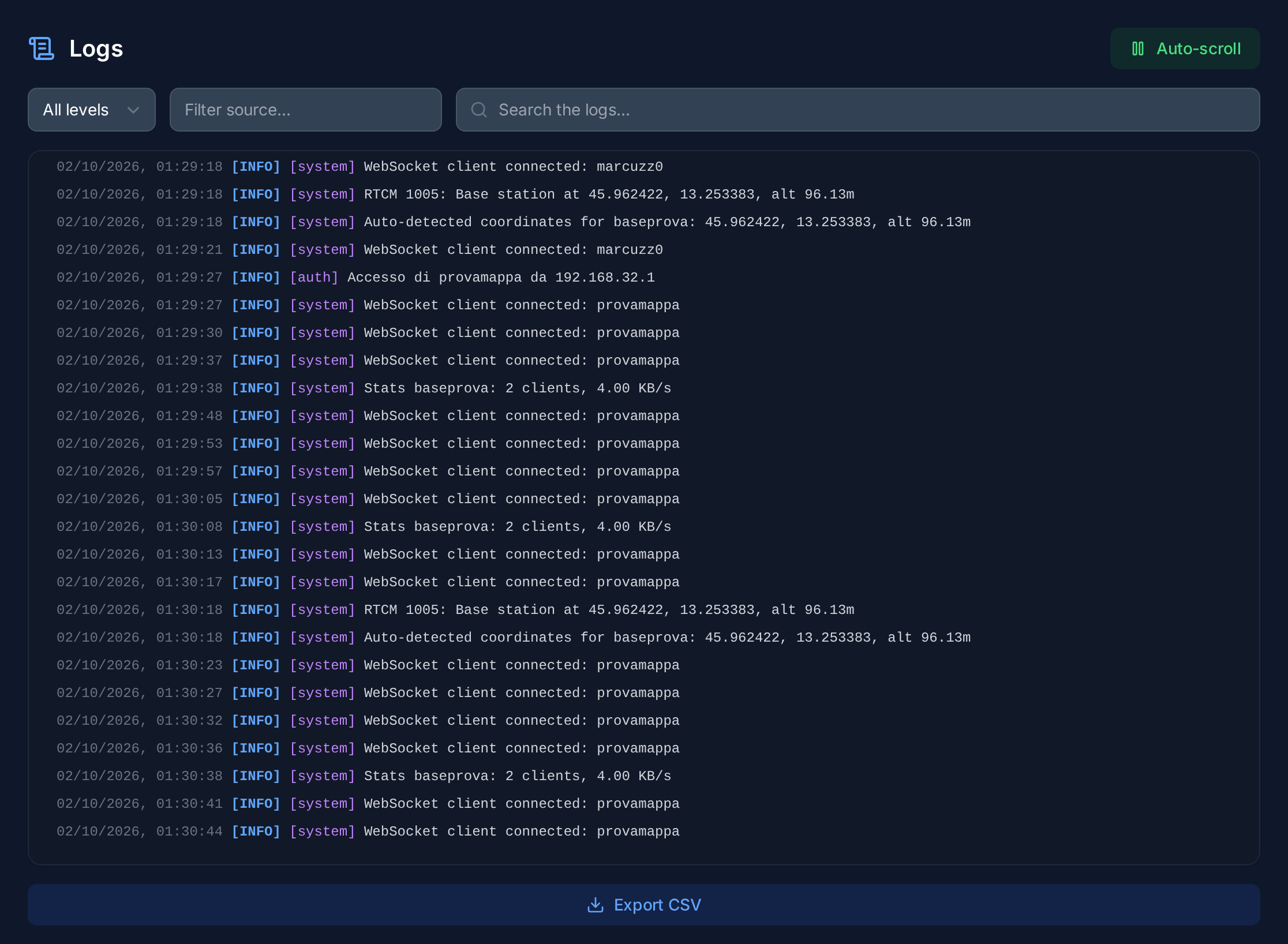
The Logs page belongs to everyone, but it does not show everyone the same things: the caster's logs are the administrator's, while your own sign-ins are yours to read, at the bottom of the page.
Live logs
The administrator sees these: the caster's logs have no owner and cannot be split per user. They show what the caster is doing, line by line, as it happens: sources connecting, rovers coming and going, errors.
Tools on the page:
- filter by level (info, warning, error);
- filter by message source;
- text search;
- auto-scroll, worth switching off while you are reading something;
- Export CSV to take the list away.
The sign-in log

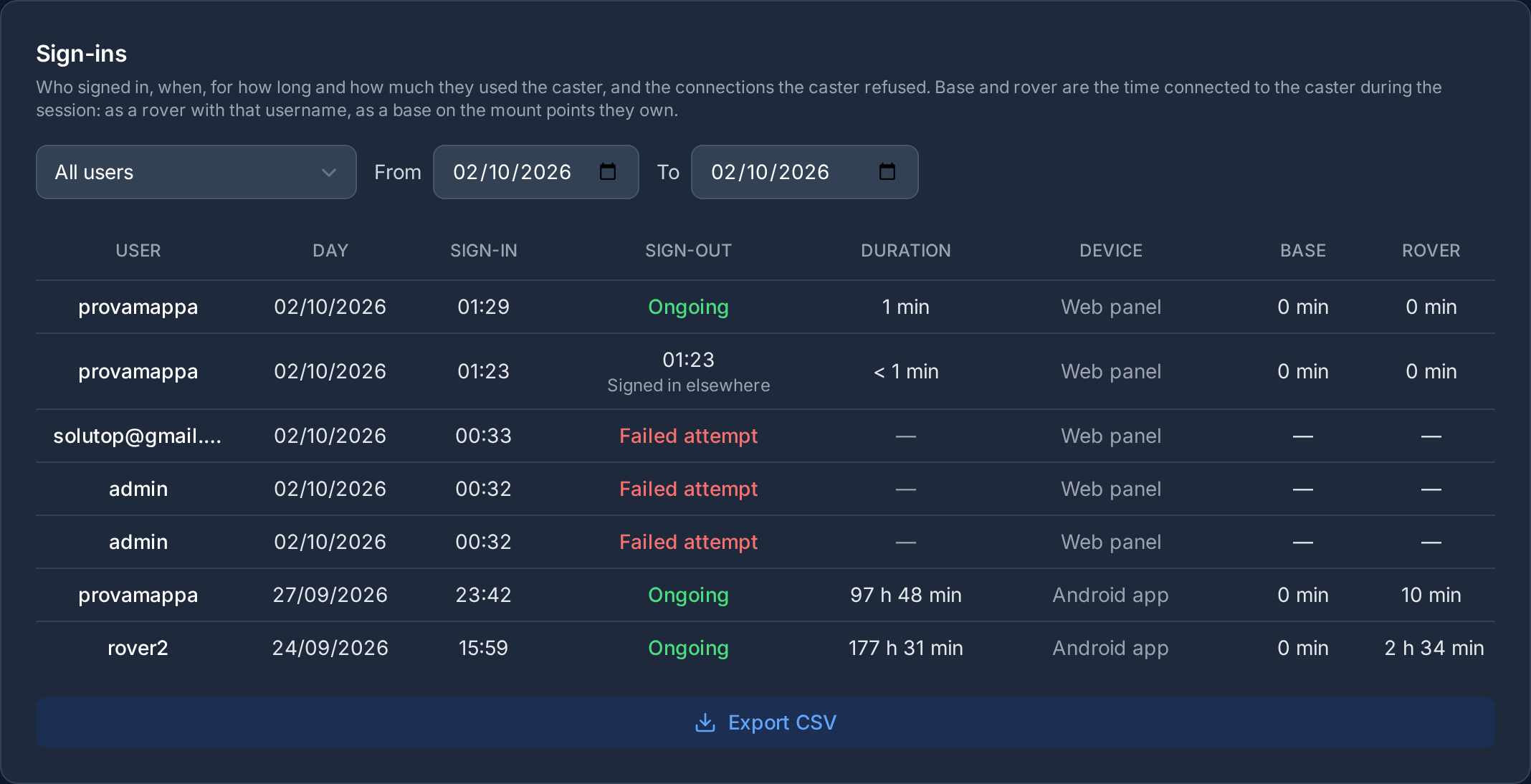
At the bottom of the page is the sign-in log: one row for every time someone came in, with
- the day and sign-in time;
- the sign-out time and the reason: Signed out (they pressed Log out), Inactivity (two hours without touching anything: the time is that of the last action, not when the panel noticed), Expired, Signed in elsewhere, Password changed, Window closed (the browser closed without signing out: it counts the last time the panel talked to the server). A session still open says Ongoing;
- the duration of the session;
- where they came in from — web panel, Android app or iPhone app — and the IP address;
- how much they used the caster meanwhile, in two columns: Base is the time a source was streaming on a mount point they own, Rover the time they were connected as a client with their username.
Failed attempts are in the same list, in red: they are the more useful half, because someone who tries to get in without succeeding leaves no other visible trace.
Also in red are the connections the caster refused: a rover or a base that tried to connect and did not manage to. The row says who (the rover's username; a base has no name, because a source comes in with the mount password), on which mount and why: Wrong credentials, Mount not found, Mount suspended, Mount not allowed, Base not streaming, Limit reached, Wrong mount password. The same refusal from the same address is written once every ten minutes: a rover retries every few seconds. Everyone sees those made with their own name and those on the mount points they own.
You choose the period with From and To (the last week by default) and take it away with Export CSV.
Everyone sees only their own sign-ins, and no other user sees yours: they serve to notice a sign-in you do not recognise, and if one appears that is not yours, change your password straight away. The administrator sees everyone's and can pick the user: it is up to them to know who uses the service and for how long.
The app stays signed in for a long time
From the app a sign-in lasts ninety days, so a phone session can stay Ongoing for weeks: there, what matters most is the use of the caster.
What gets recorded
The caster's events include:
| Event | When |
|---|---|
| Sign-in | Successful login |
| Failed sign-in | Wrong password or account not enabled |
| Password changed | From the profile or through the reset link |
| Email changed | From the profile |
| Account created | Registration or creation by the administrator |
This is the trail you need when you have to work out who did what, and it is also where repeated attempts from unknown addresses stand out.
Addresses behind Cloudflare
The address recorded is the visitor's real one, not the proxy's: LiveRTK reads the header Cloudflare adds.