Recordings and RINEX
LiveRTK can save a base's raw stream and turn it into RINEX, the format post-processing needs (PPK, PPP, computing a permanent base).

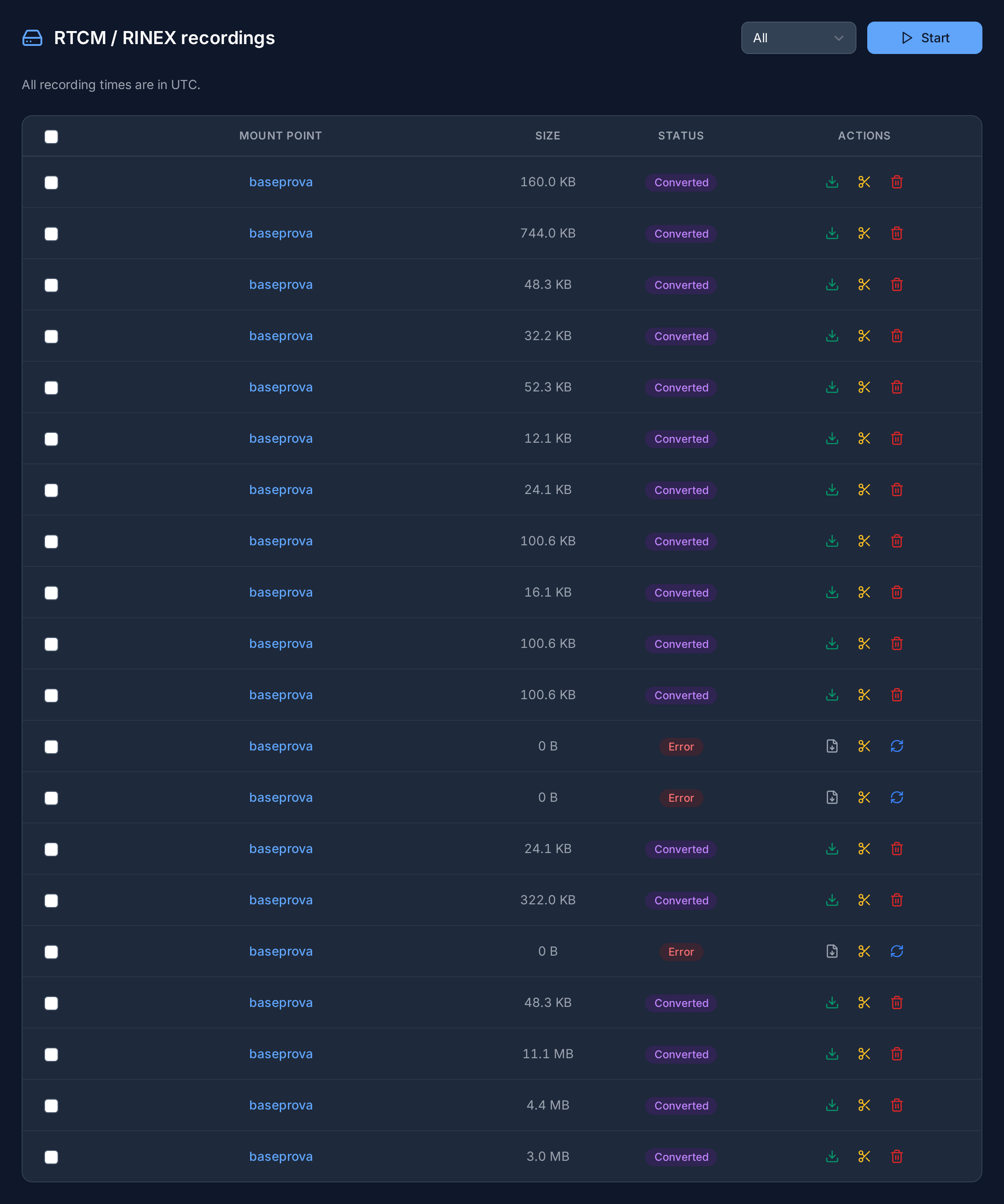
The table shows the mount point name, the size, the status and the commands. Clicking the mount point name opens the card with the file name, the start, the end and the size of the recording.
All times are in UTC
Recordings are read and trimmed in UTC, the same time that ends up in the RINEX files and in the generated names.
Starting and stopping
Recordings page → Start → pick a mount point among those online. Recording stops from its row, with Stop.
A mount point can also record by itself: its page has the Record automatically option, which starts recording as soon as the base connects.
Session length
In the settings everyone chooses how their recordings are split:
| Mode | What it does |
|---|---|
| Continuous | One file until recording is stopped |
| Hourly | One file per hour, the way RINEX convention wants it |
| Daily | One file per day |
For a permanent base, hourly or daily is the sensible choice: smaller files, ready to hand over.
From raw to RINEX
Once recording stops, LiveRTK converts the .rtcm3 file with convbin (RTKLIB) and
puts everything in a single .zip:
.obs— the observations;.nav— the ephemerides (see below);- the original
.rtcm3stream.
The row's status goes from Recording to Completed and finally to Converted.
Where the ephemerides come from
An RTK base's stream contains no ephemerides: without them the navigation file could not be written. LiveRTK downloads them from the public BKG broadcast archive and attaches them, joining several days when the recording spans them. If the download fails, the conversion is still valid without the navigation file, and can be repeated with Retry.
Downloading
Download takes the whole archive. Older recordings, made before the single archive, show separate RTCM3, OBS and NAV buttons.
Trimming a time range
A six-hour survey produces a huge RINEX even when only the good half hour matters. The Trim button opens two date-and-time fields — filled in with the recording's start and end — and downloads only that window, in RINEX, leaving the original untouched.

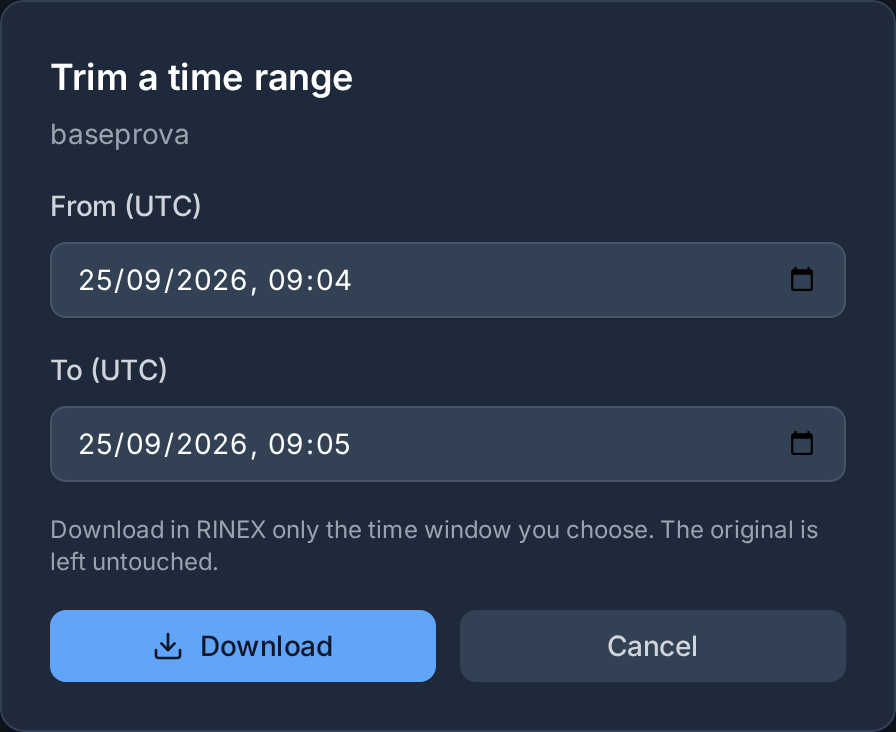
The archive is named after the mount point and the two timestamps, for example
BASE_UDINE_20260501180500_20260501181000.zip.
The hours are UTC
The fields are filled in UTC, like every recording time and like the RINEX that comes out of it.
If there are no observations in the chosen range, LiveRTK says so instead of handing you an empty file.
Available space
Every client has their own space for recordings, 1 GB by default. At the top of the Recordings page a bar tells you how much of it you have used and how much you have in total.


- Past 90% the Space almost full alert goes out (see Alerts).
- When the space is full, new recordings do not start, automatic ones included, until you delete some. The ones already running carry on.
The limit is set by the administrator in the settings and is the same for every client; administrators have none.
How much space they take
A recording weighs as much as the stream that produced it: with four constellations in MSM7 that is about 25 MB per hour, so 600 MB a day for a permanent base. The observation RINEX takes roughly as much again, and the compressed archive about half the total.
With 1 GB available that is about forty hours of recording with four constellations. It is worth setting automatic deletion, or downloading and archiving elsewhere the sessions you need to keep.
Automatic deletion
The administrator can set after how many days recordings delete themselves (the Recording retention setting, 0 = never by default). Both the rows and the files on disk are removed.
Deleting by hand
Every row has Delete; the checkboxes delete several recordings at once. While the conversion has not succeeded, Retry appears instead of Delete: first you try to recover it, then you throw it away.